PLANTACARE

2026 UI/UX Case Study 2026 Mobile App

PLANTACARE

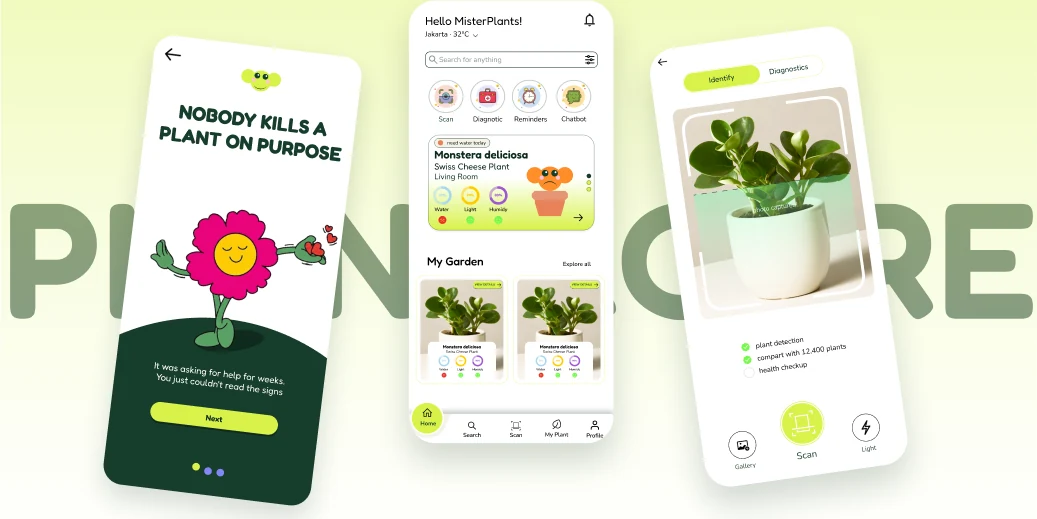
Three PlantaCare screens: onboarding, home garden and the plant scanner

01

What Is PlantaCare?

PlantaCare is a mobile plant-care app for people who can identify a plant in three seconds and still watch it die three weeks later.

UI/UX Designer Mobile App Portfolio project 8 weeks

Tools used

Figma

Cloud based design

Claude

AI assistance

Maze

User testing
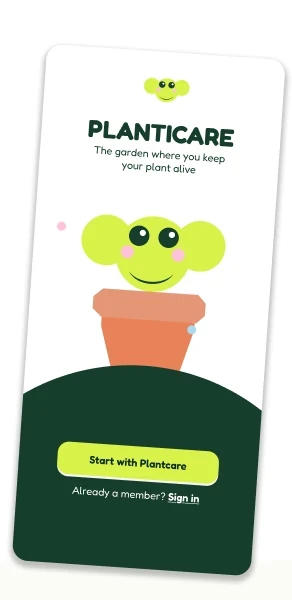
PlantaCare welcome screen: the garden where you keep your plant alive

02

4W+H Homeframe

Breaks the product down into What, Why, Who, How, and Goal, to expose the gap the category leaves open: everyone solves recognition, nobody solves what happens after it.

The Idea (What)

A plant care app that goes beyond identification, pairing a dual-mode scanner with an adaptive care loop that follows up on every action.

User Base (Who)

First-time owners who kill their first plant, casual owners who cannot read a symptom, and collectors managing 20+ plants across rooms with different light.

The Vision (Goal)

Keep every plant alive past its first year by turning a one-off scan into ongoing, contextual care.

The Reason (Why)

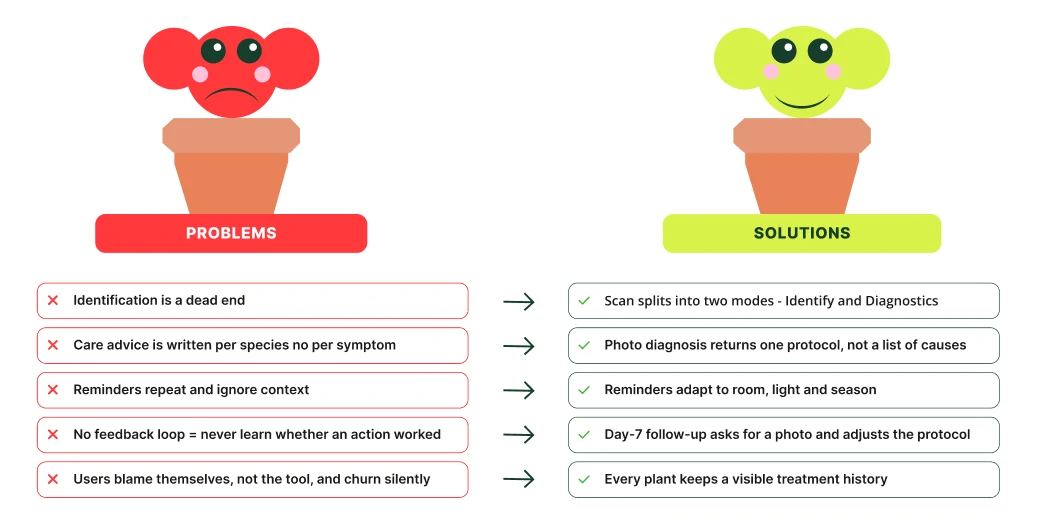
Because every app stops at identification. Care advice is written per species, never per symptom, and reminders repeat on a fixed calendar until they get muted.

The Process (How)

Scan splits into Identify and Diagnostics → photo diagnosis returns one protocol, not a list of causes → a day-7 follow-up asks for a photo and adapts.

03

Design Process
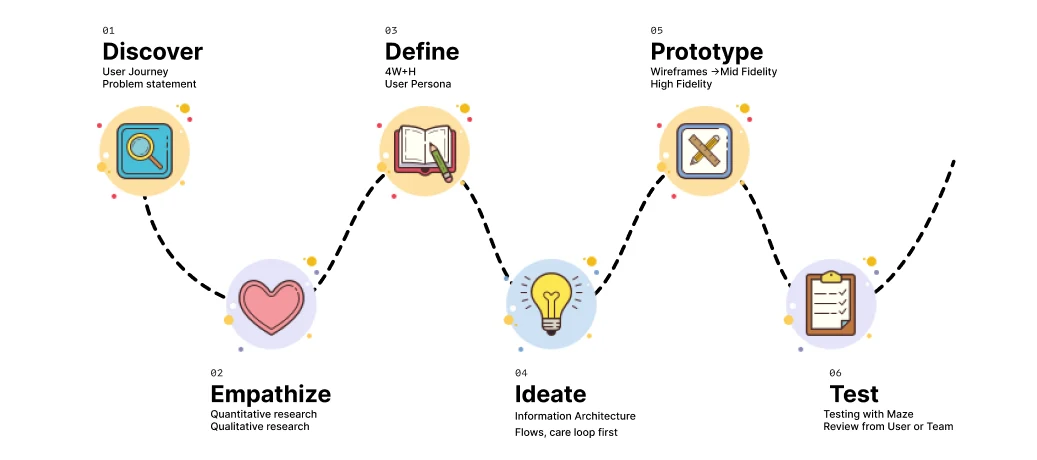
Six stages: Discover, Empathize, Define, Ideate, Prototype, Test

04

Problems & Solution

Five problems mapped one by one to five product decisions

05

User Research

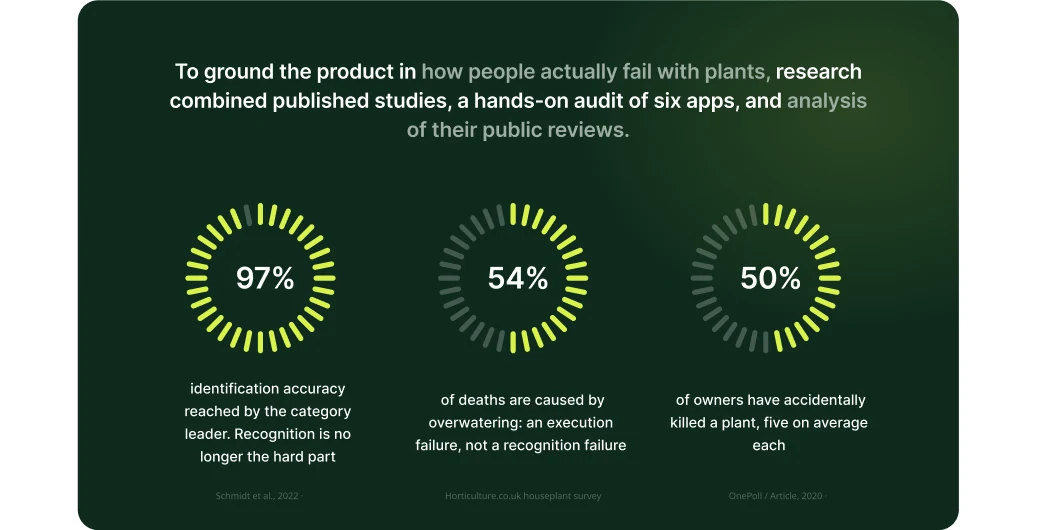
Research panel: 97% identification accuracy, 54% of deaths from overwatering, 50% of owners have killed a plant

06

Competitor Analysis

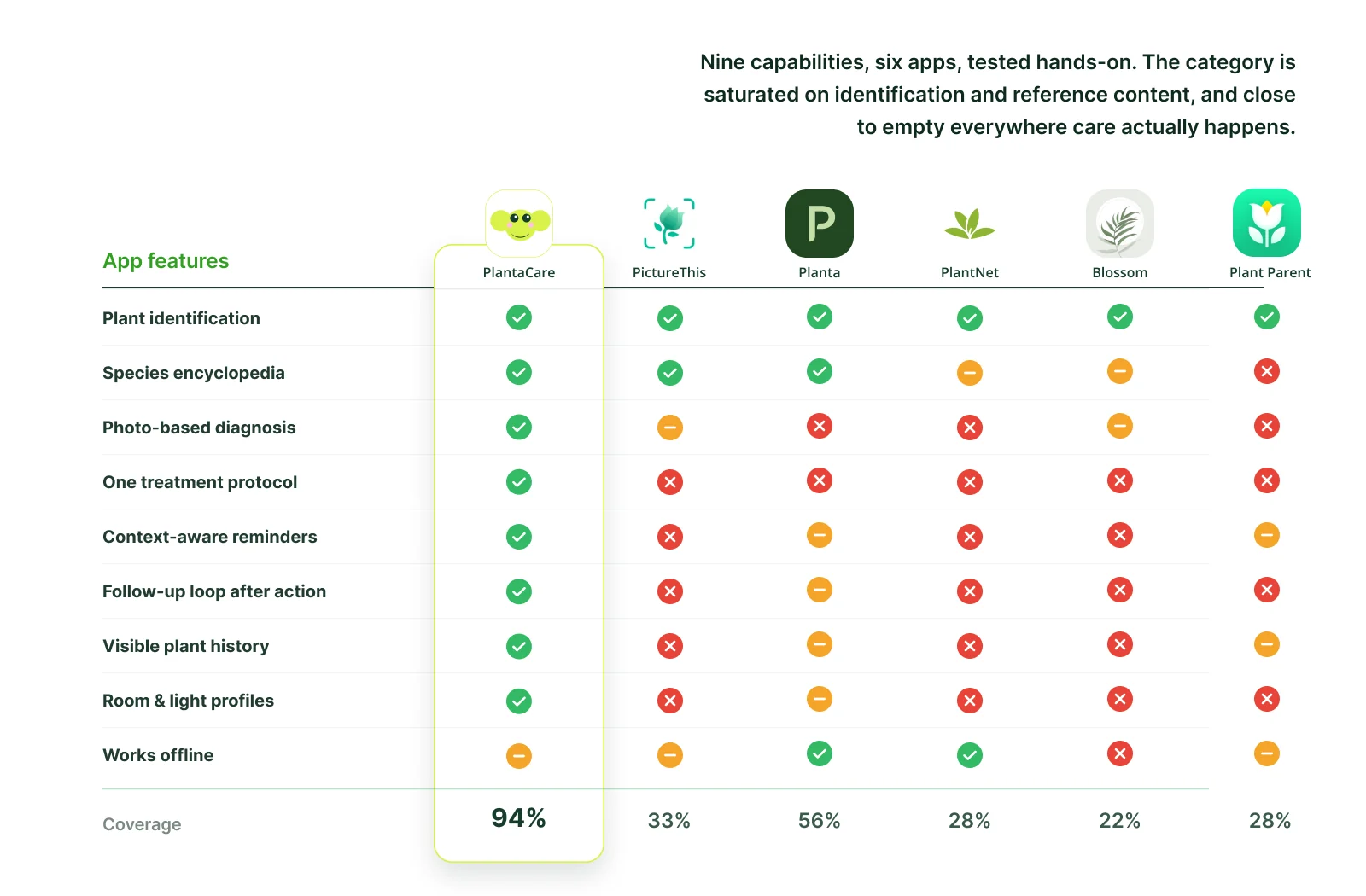
Nine capabilities compared across six apps with a coverage score each: PlantaCare 94%, Planta 56%, PictureThis 33%, PlantNet and Plant Parent 28%, Blossom 22%

07

User Persona

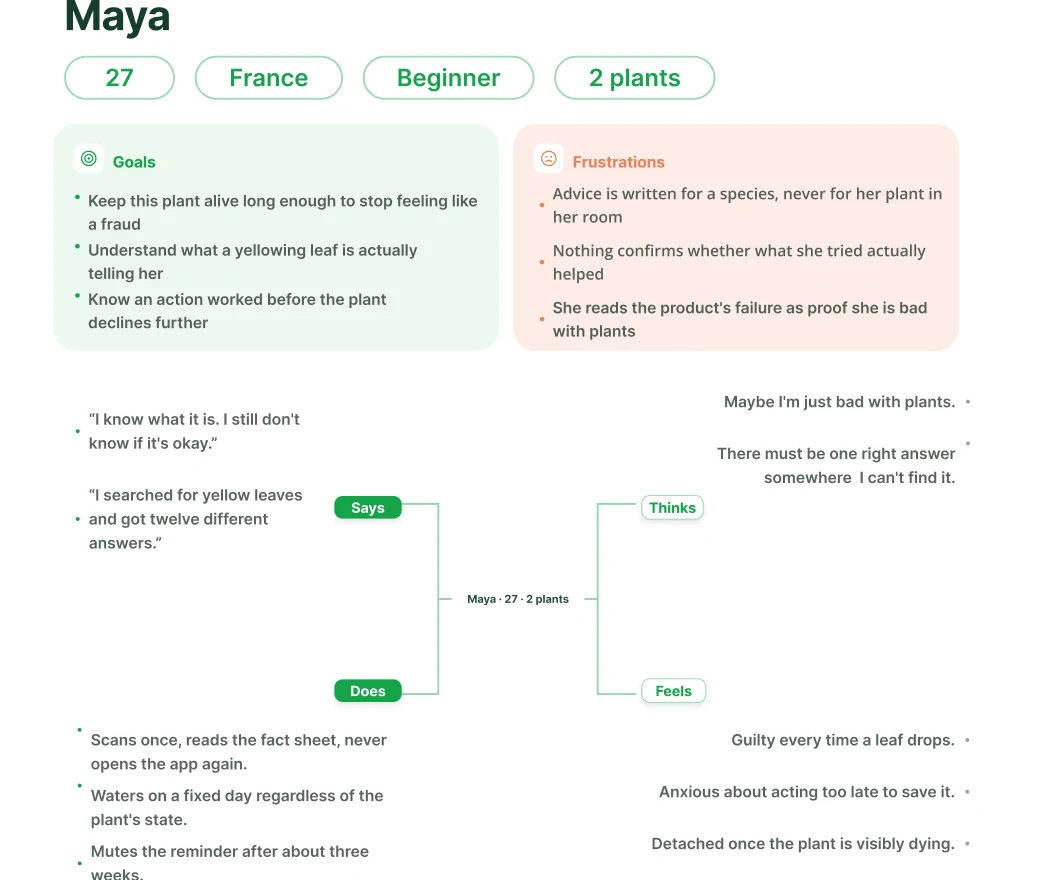
Maya, 27, France, beginner, 2 plants: goals, frustrations and empathy map
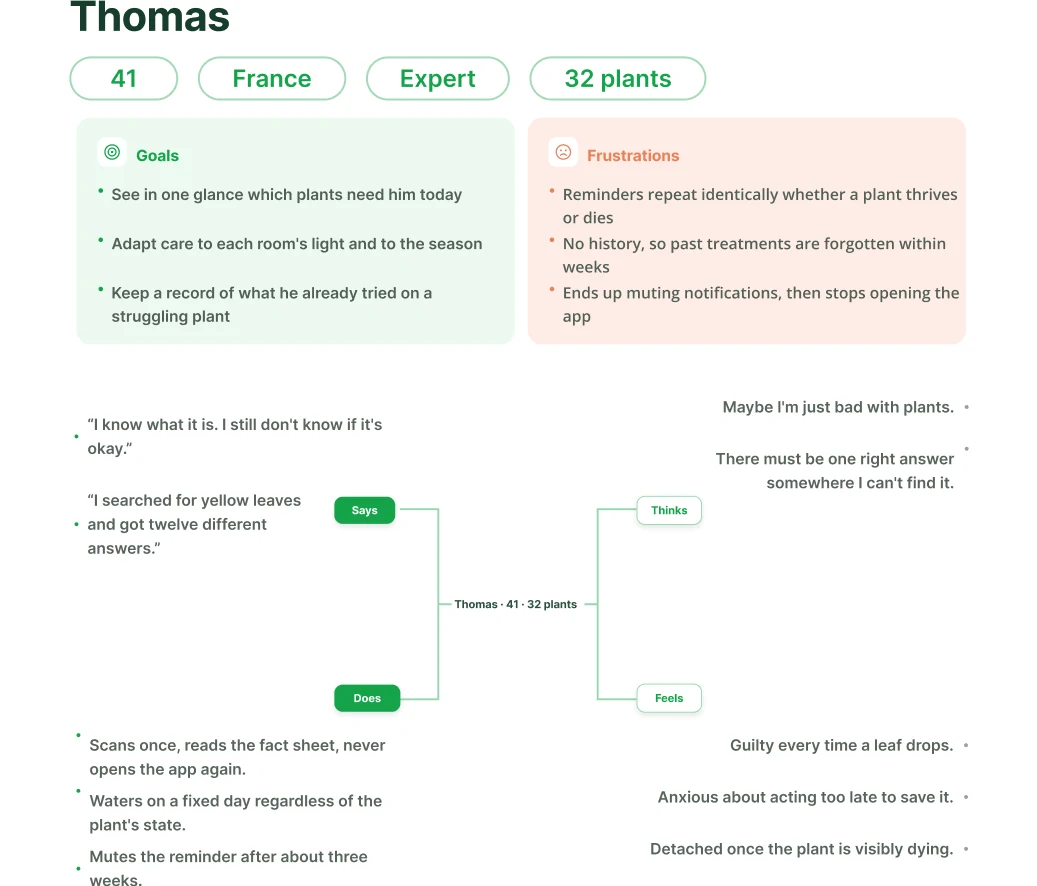
Thomas, 41, France, expert, 32 plants: goals, frustrations and empathy map

08

Quantitative Research

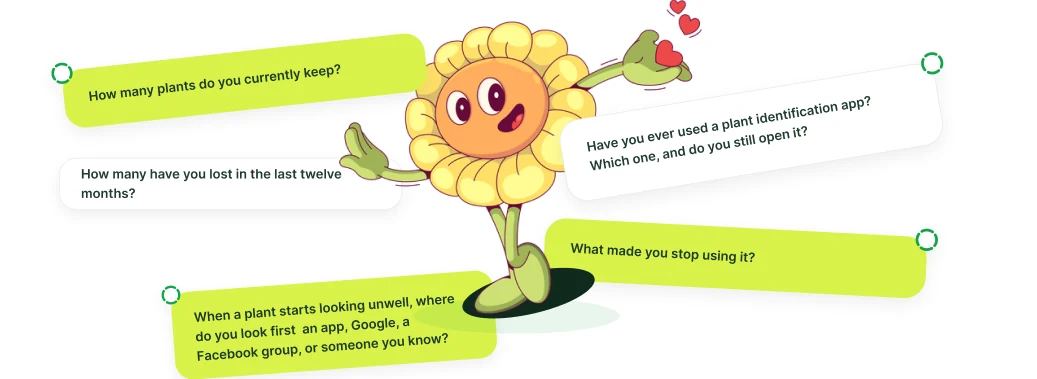
The survey questions asked to plant owners

09

Qualitative Research

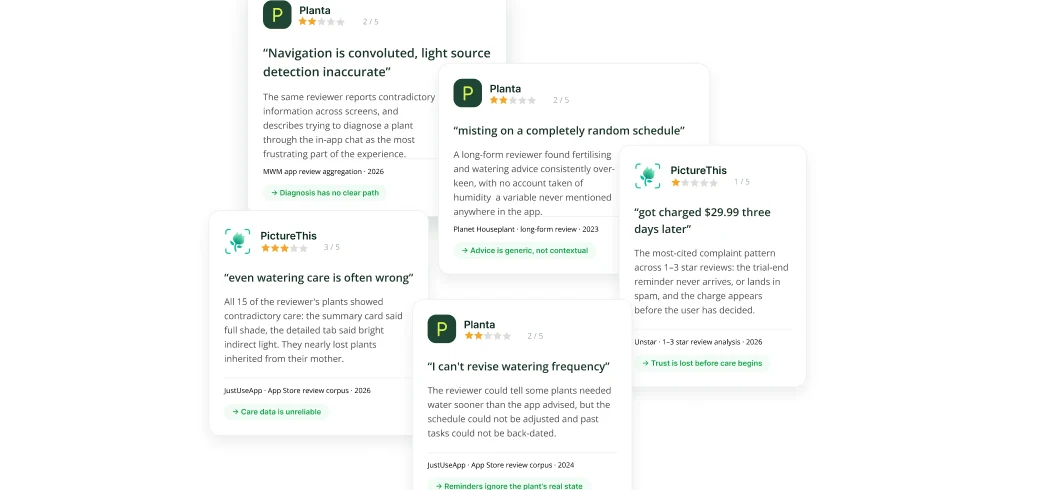
Critical app-store reviews of competing plant apps
Critical reviews pulled from the competitor apps themselves. Each one is real, dated, and attributable, and each maps to a decision made in the product.

10

Information Architecture

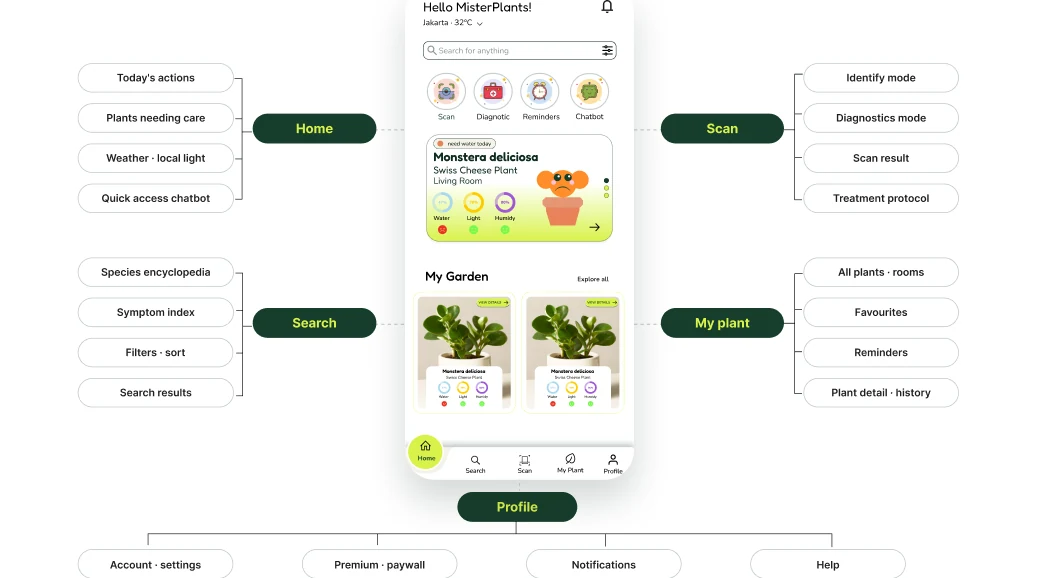
App structure: Home, Search, Scan, My plant and Profile with their sub-sections

11

User Journey

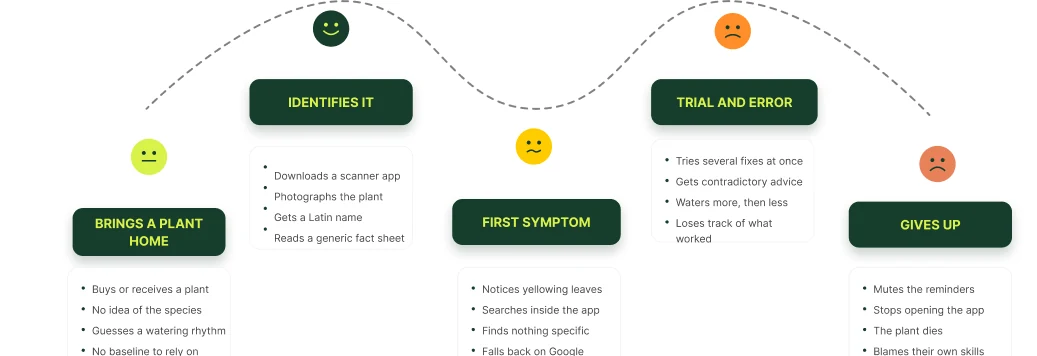
Five stages from bringing a plant home to giving up, with the matching emotions

12

User Flow

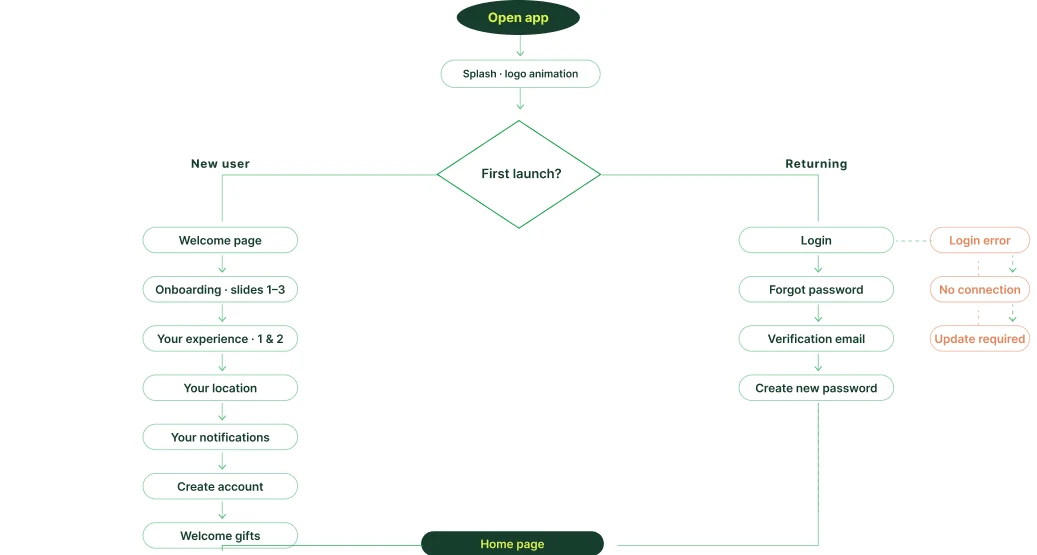
Flow from app launch through onboarding and login
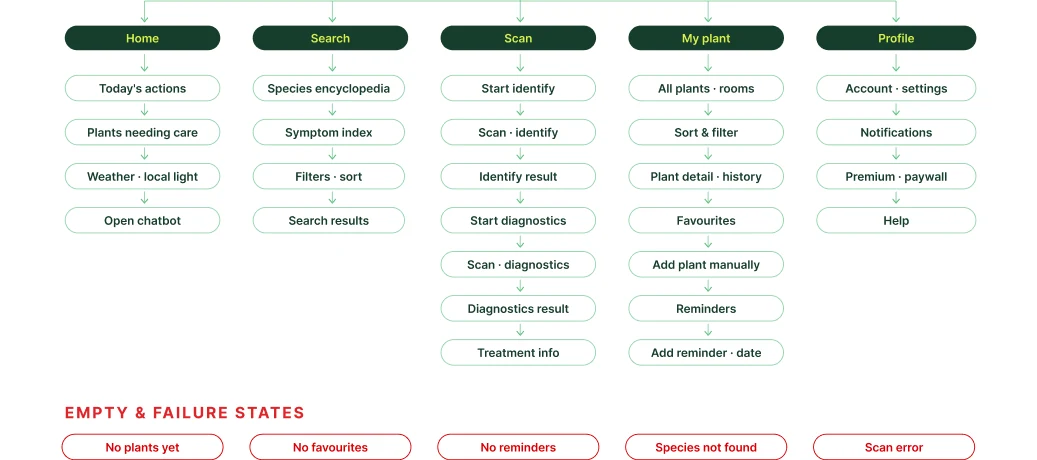
Flow across the five tabs, plus the empty and failure states

13

Mid Fidelity

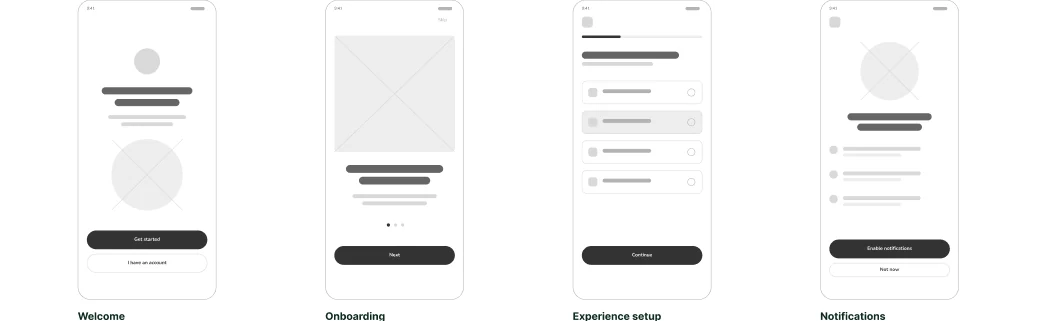
Wireframes: welcome, onboarding, experience setup, notifications
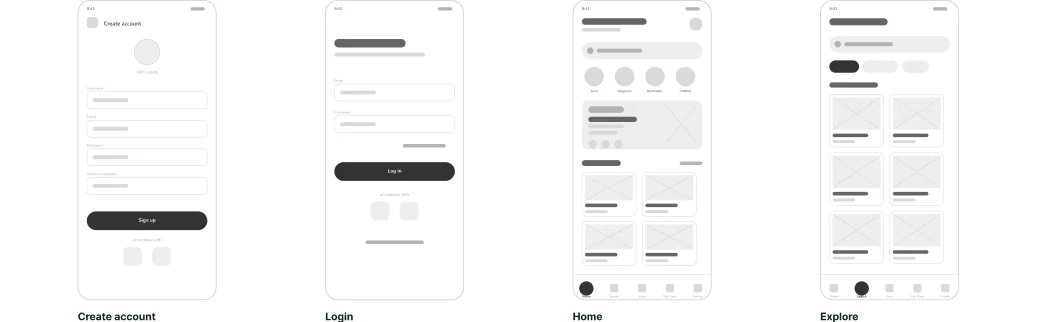
Wireframes: create account, login, home, explore
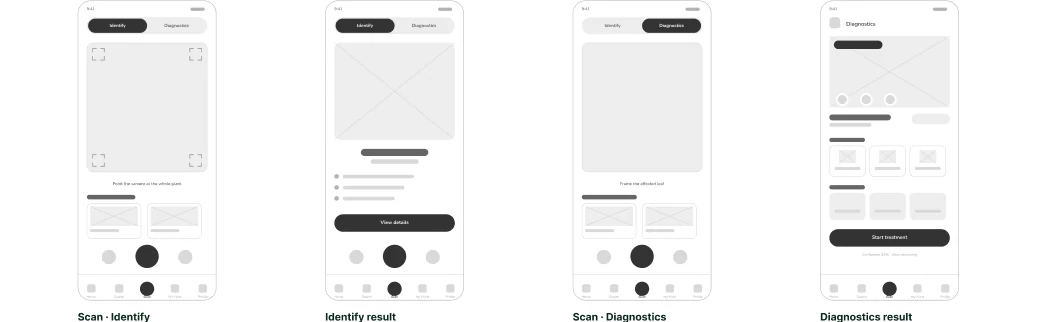
Wireframes: scan identify, identify result, scan diagnostics, diagnostics result
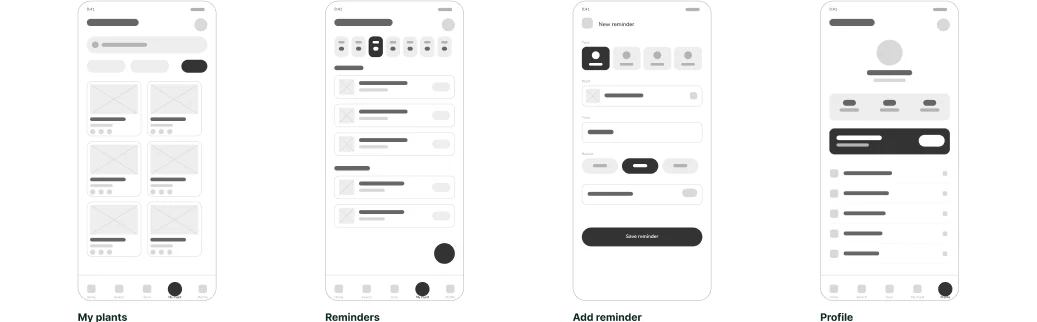
Wireframes: my plants, reminders, add reminder, profile

14

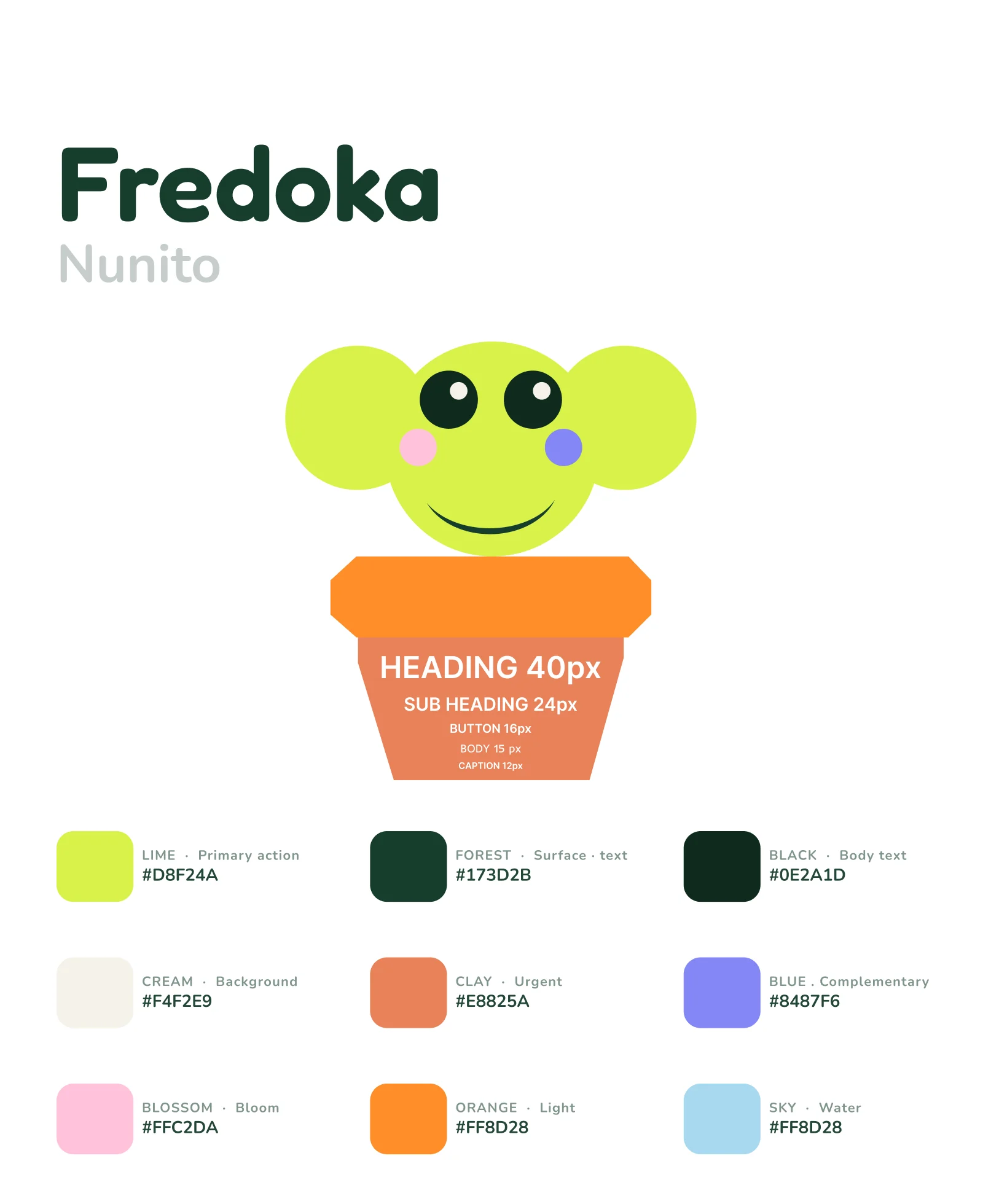
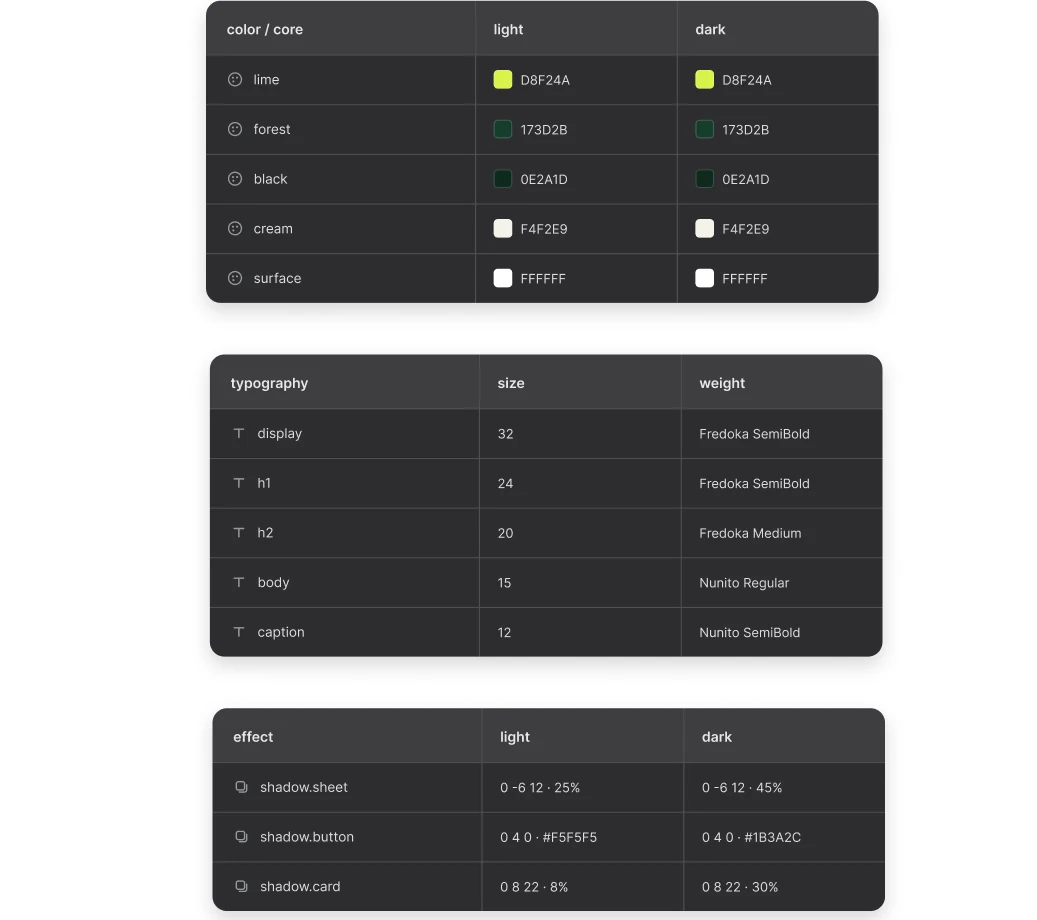
Typography & UI Design System

Fredoka for headings and Nunito for body, the type scale from 40px down to 12px, and the nine-colour palette

Colours

Lime · Primary action

#D8F24A

Forest · Surface · text

#173D2B

Black · Body text

#0E2A1D

Cream · Background

#F4F2E9

Clay · Urgent

#E8825A

Sky · Water

#A8D8F0

Blossom · Bloom

#FFC2DA

Orange · Light

#FF8D28
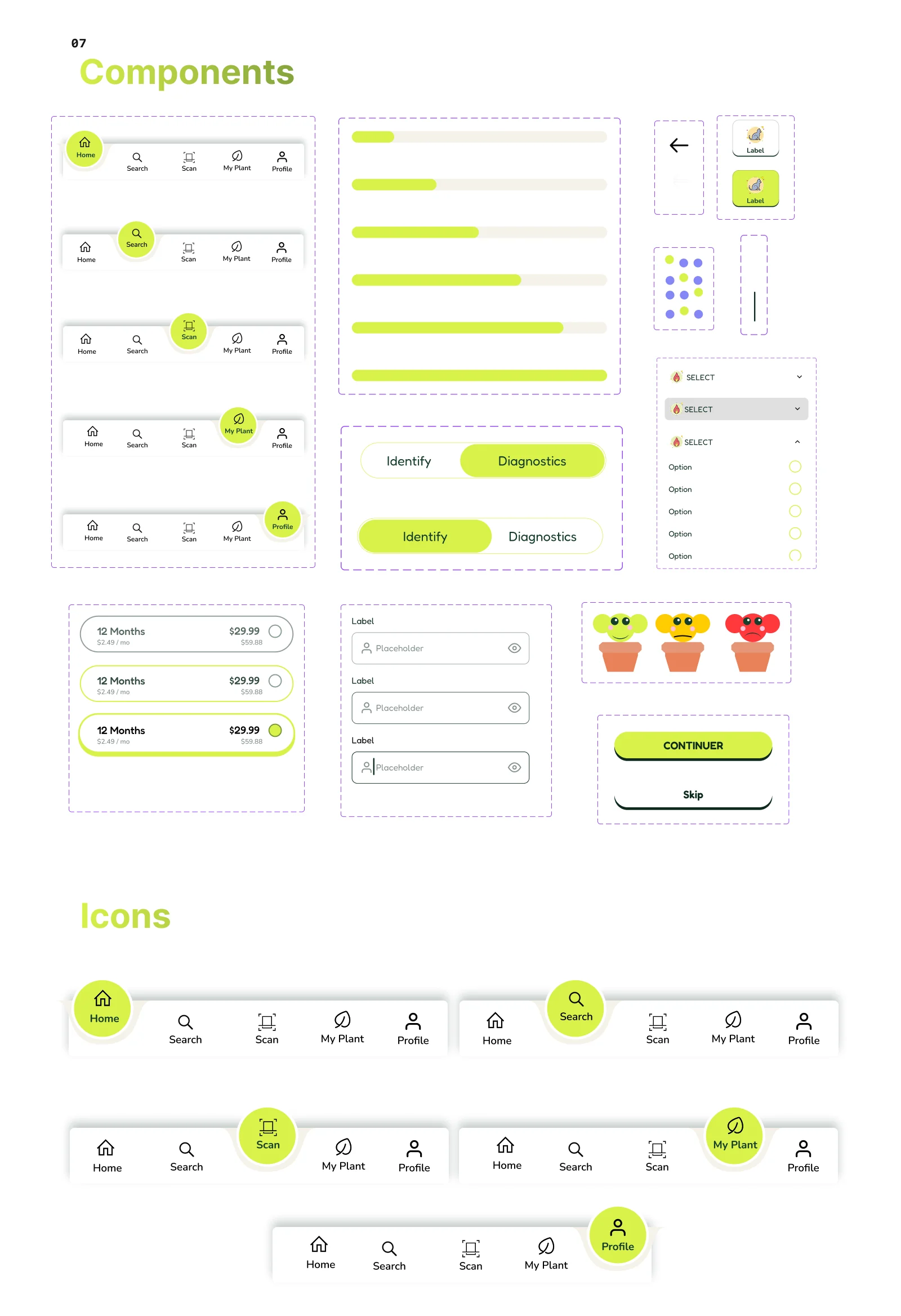
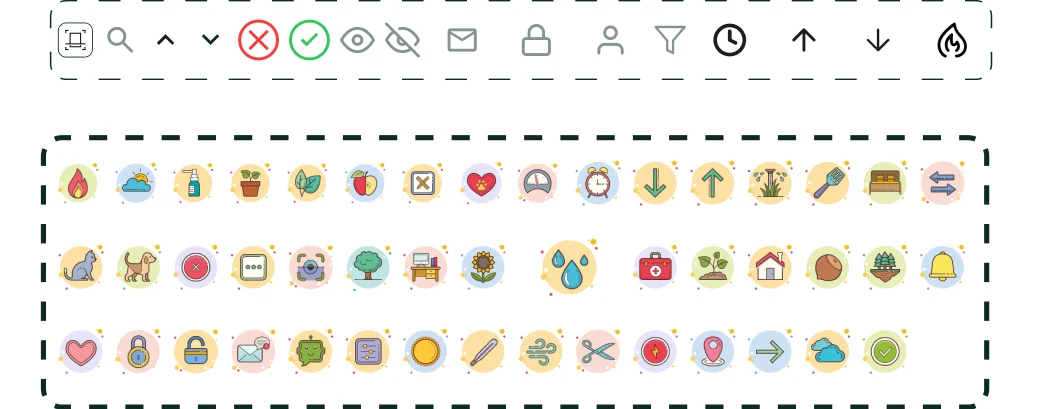
Component library: the five tab bar states, sliders, the Identify and Diagnostics toggle, selects, plan cards, inputs, mascot states, buttons, and the full icon set
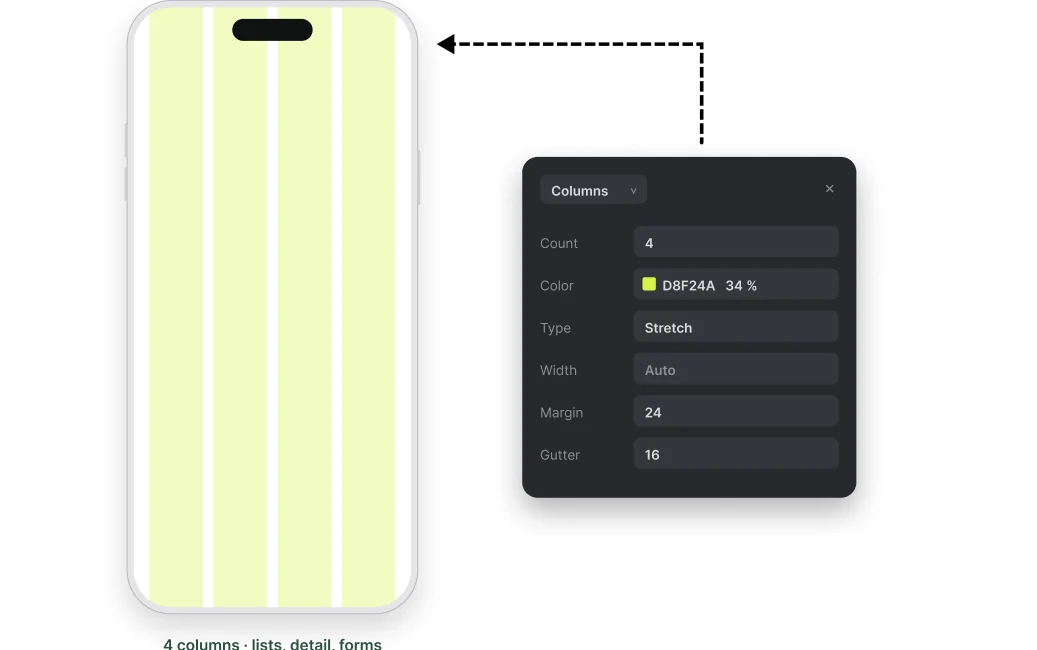
Four-column grid, 24px margin, 16px gutter
Grid system — 4 columns for lists, detail and forms
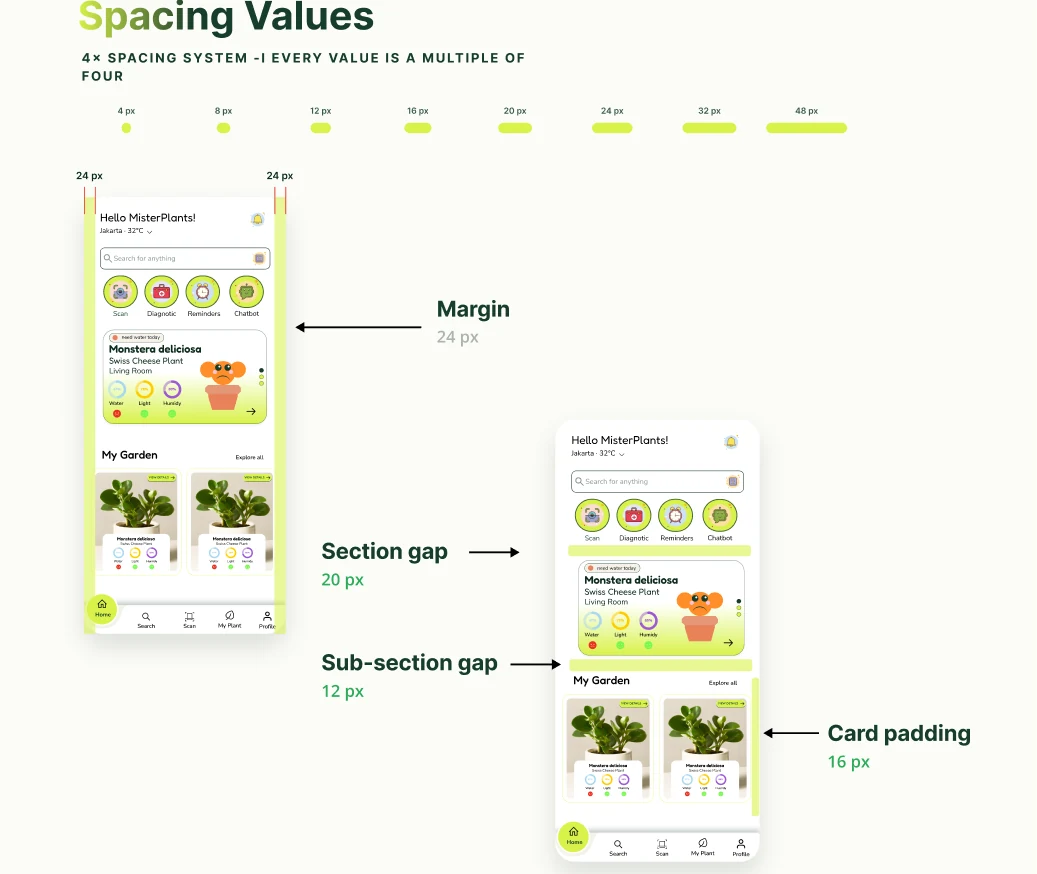
Spacing scale from 4px to 48px, every value a multiple of four
24px margin, 20px section gap, 12px sub-section gap, 16px card padding
Design tokens for colour, typography and shadows in light and dark

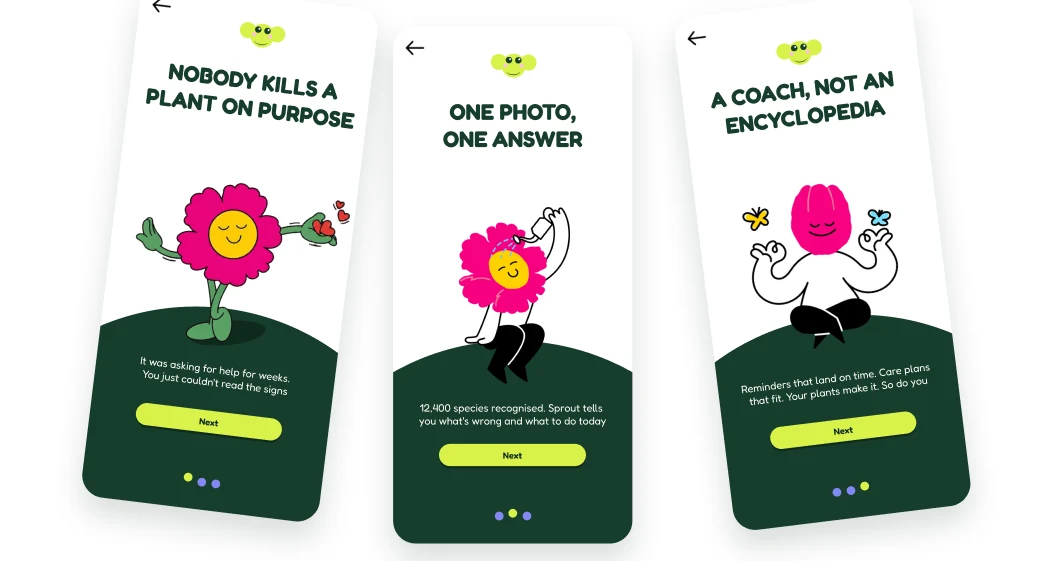
Onboarding Screens

Three onboarding screens: nobody kills a plant on purpose, one photo one answer, a coach not an encyclopedia

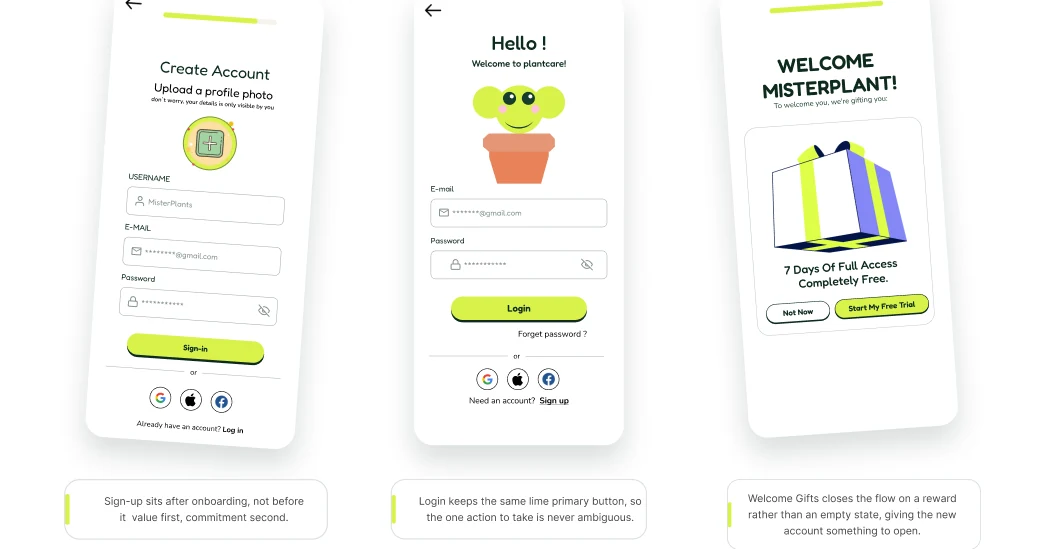
Sign Up & Login

Create account, sign in and welcome screens

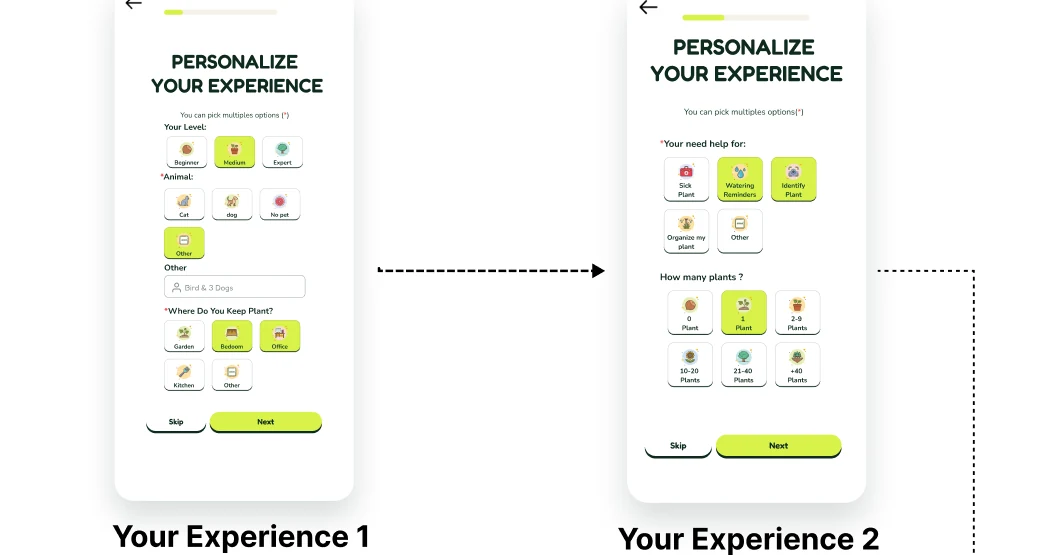
Personalisation & Setup

Personalise your experience, steps 1 and 2
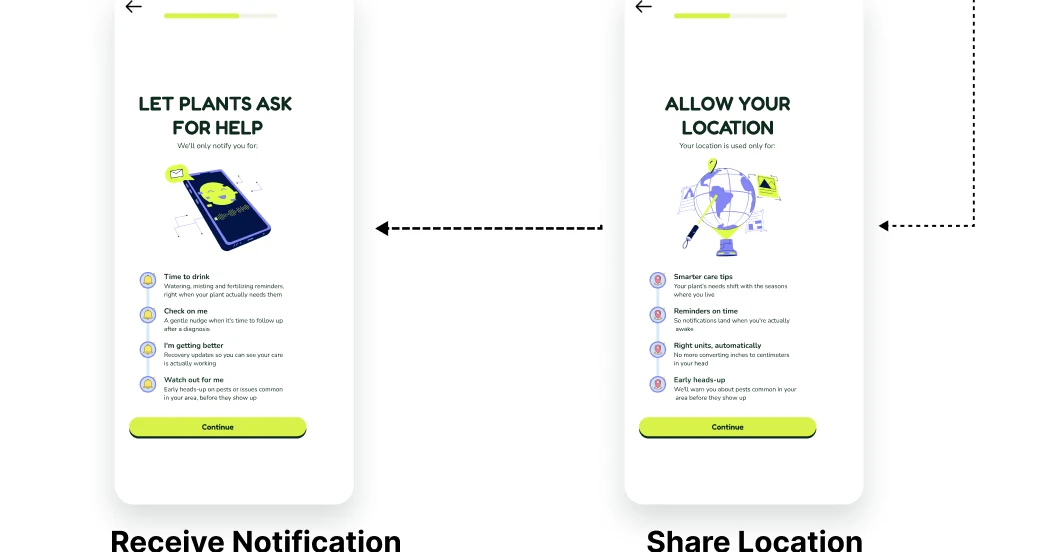
Notification permission and location sharing screens

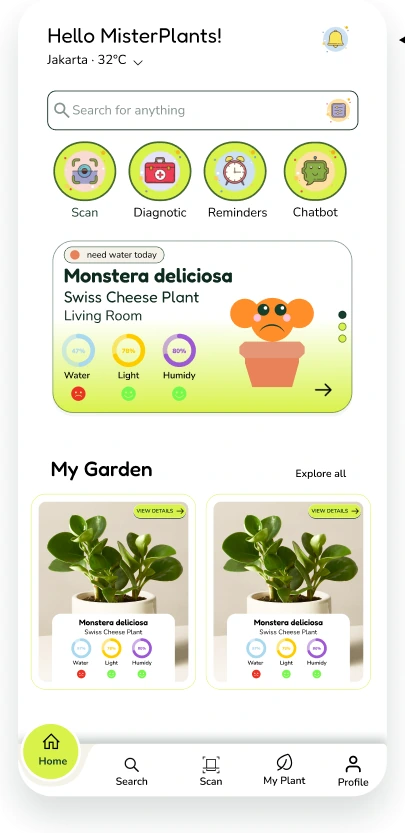
Home Screen

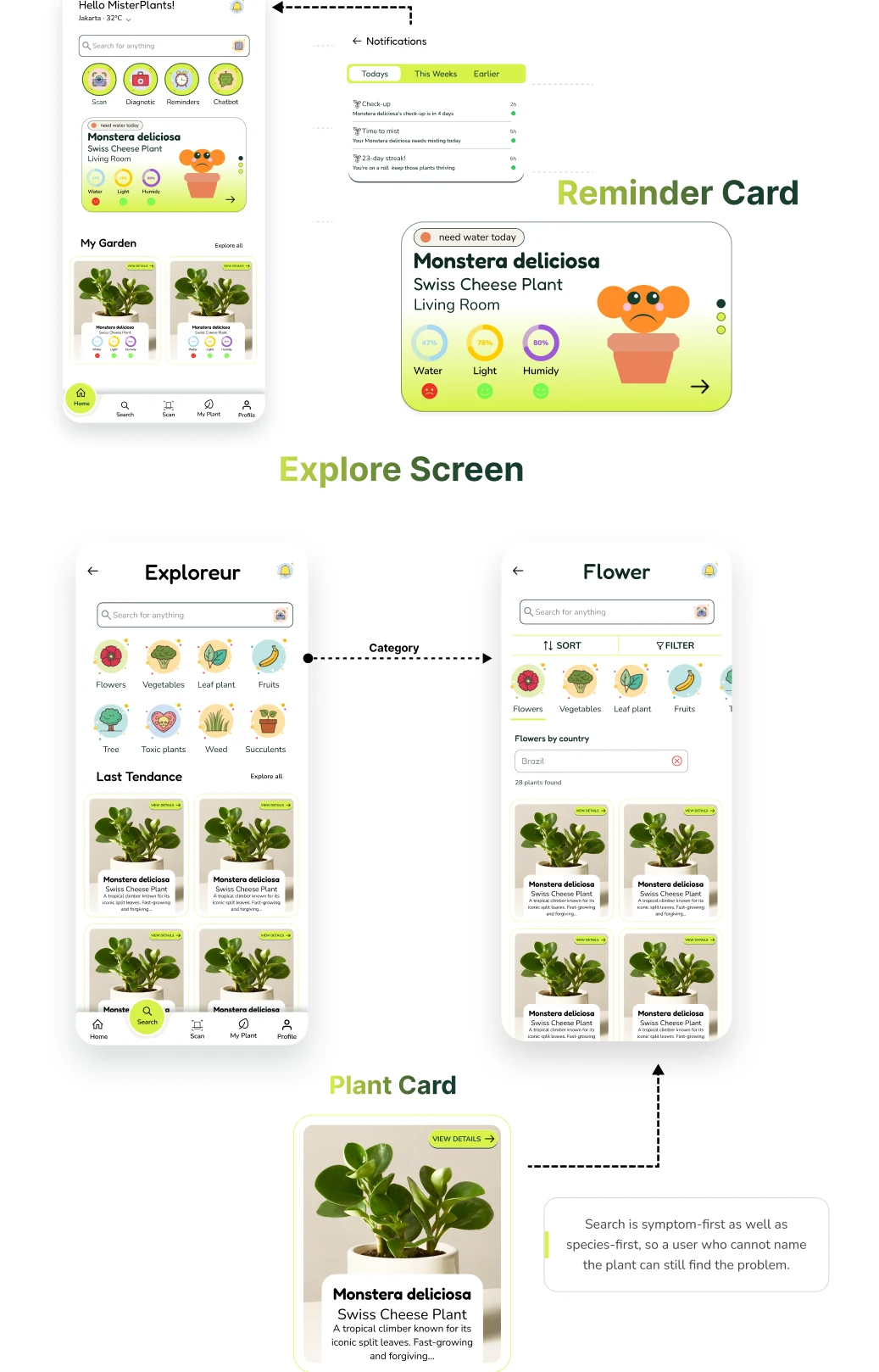
Home screen, plant cards and the explore view

Premium Screen & Chatbot AI

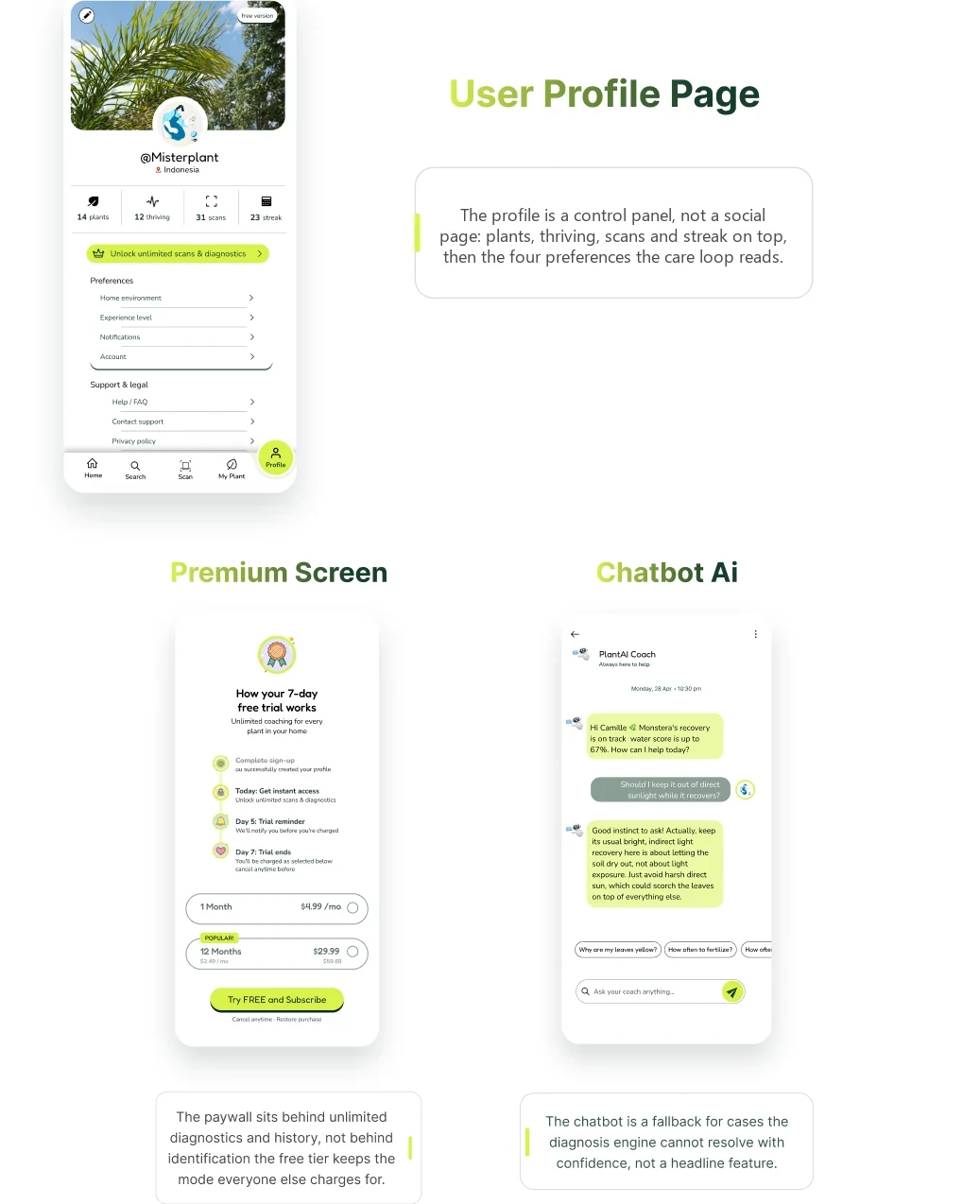
User profile, premium plans and the AI chatbot

My Garden Screen

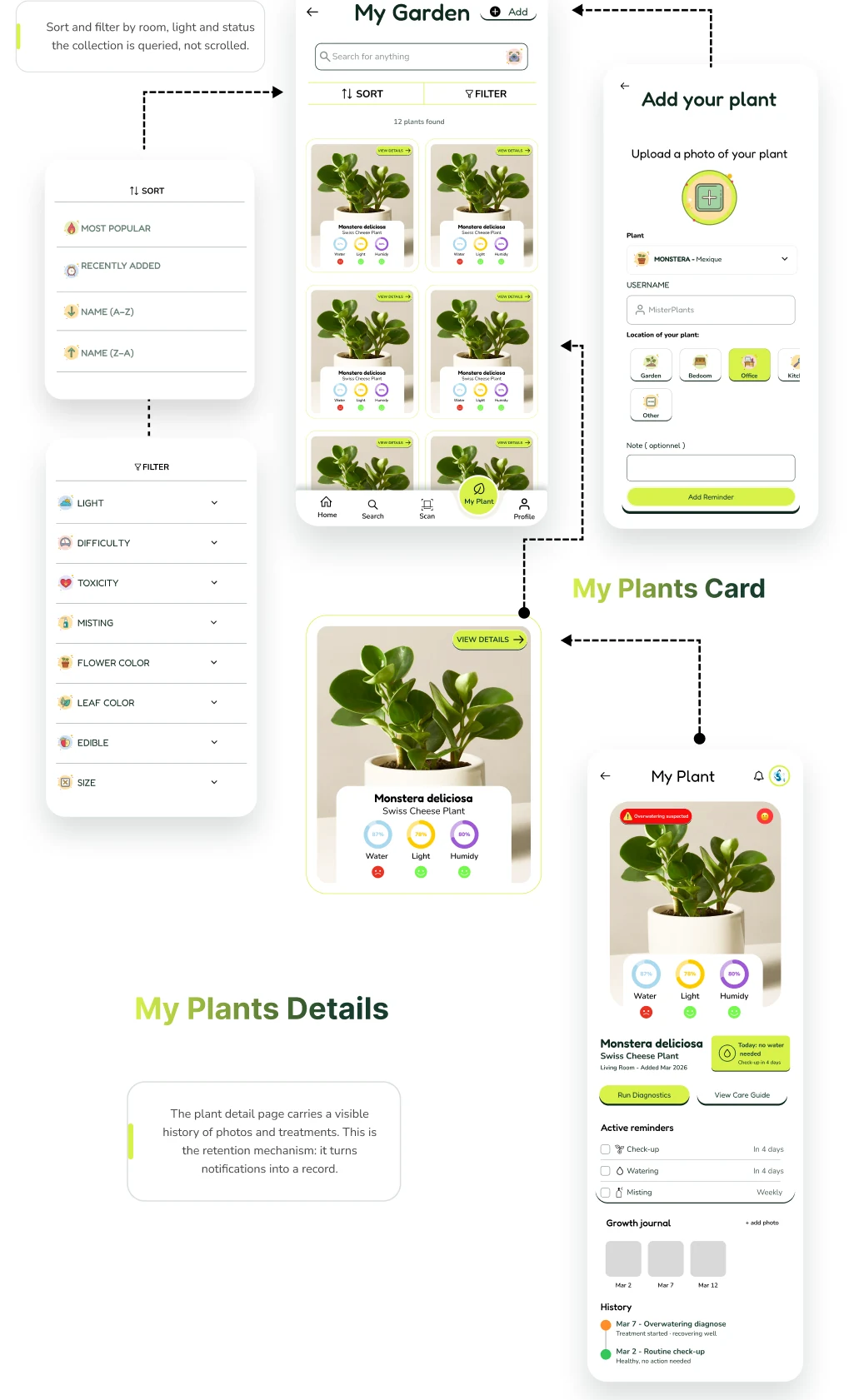
My plants, plant details, reminder cards and the explore screen

The Care Decision

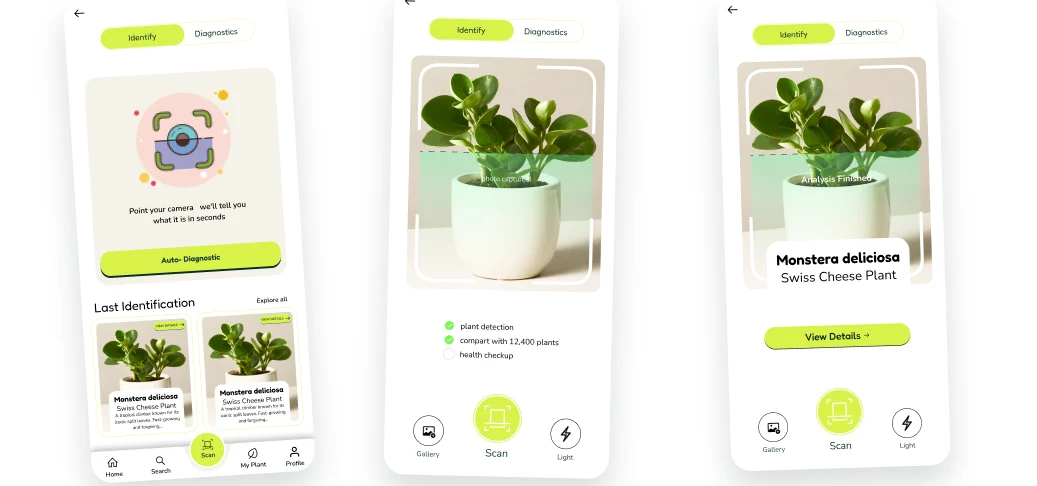
Identify mode: framing the plant and reading the result
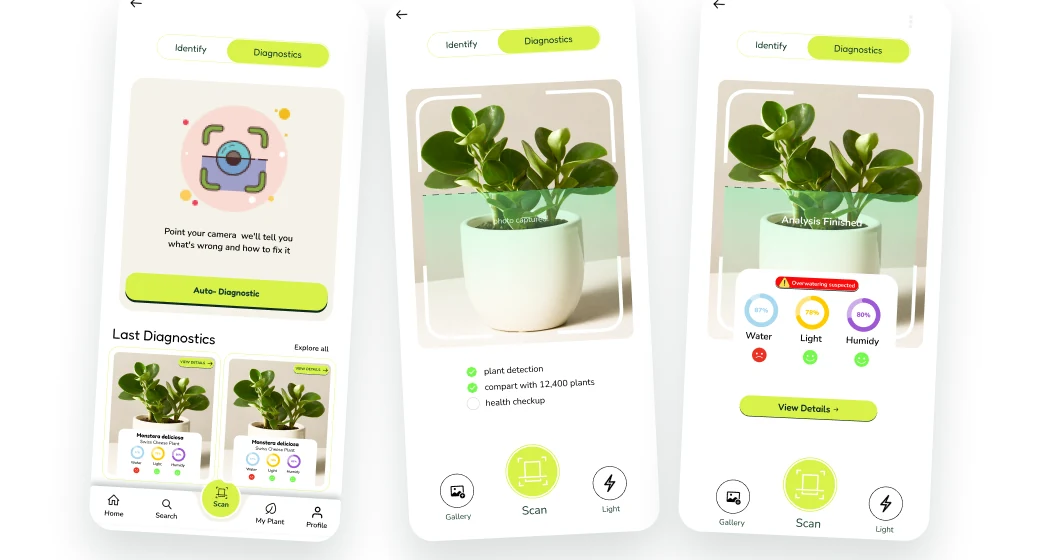
Diagnostics mode: framing the affected leaf and reading the protocol
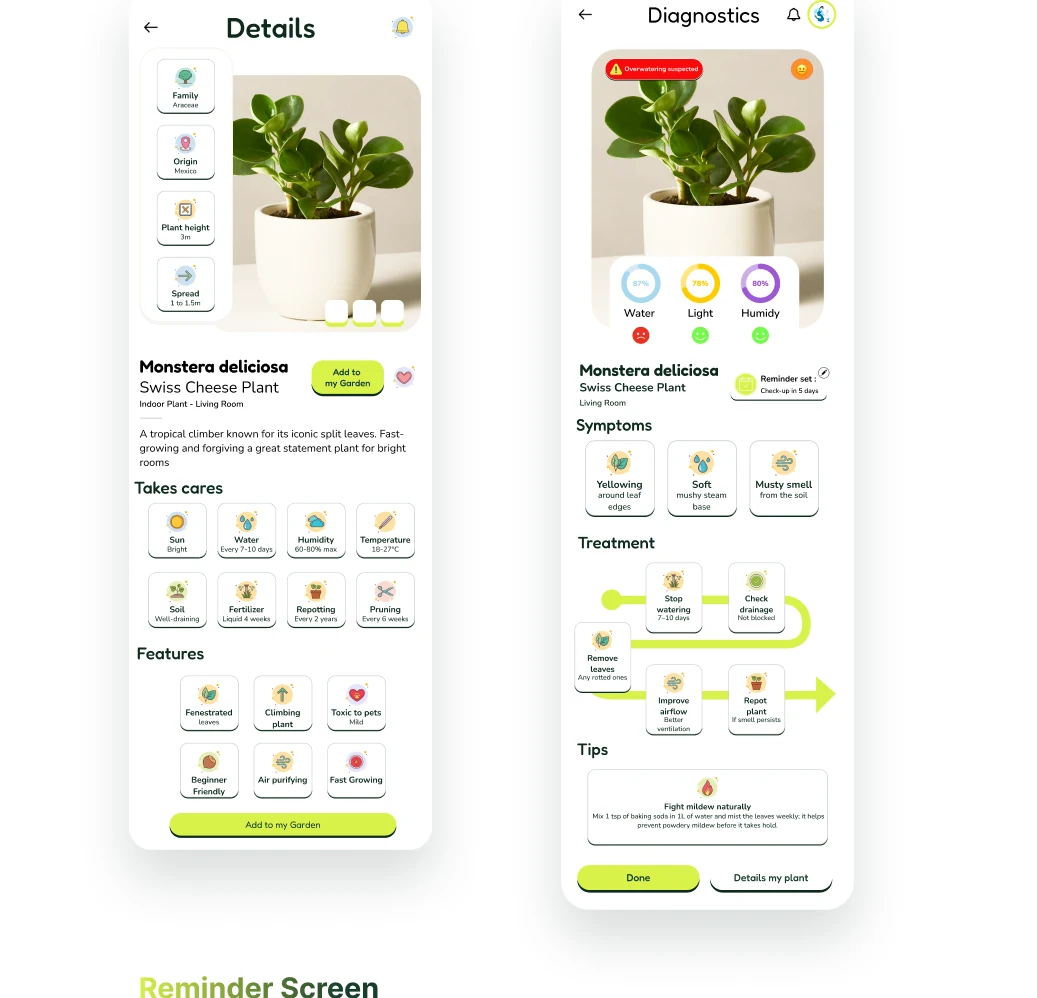
Plant details and diagnostics result with symptoms, treatment and tips

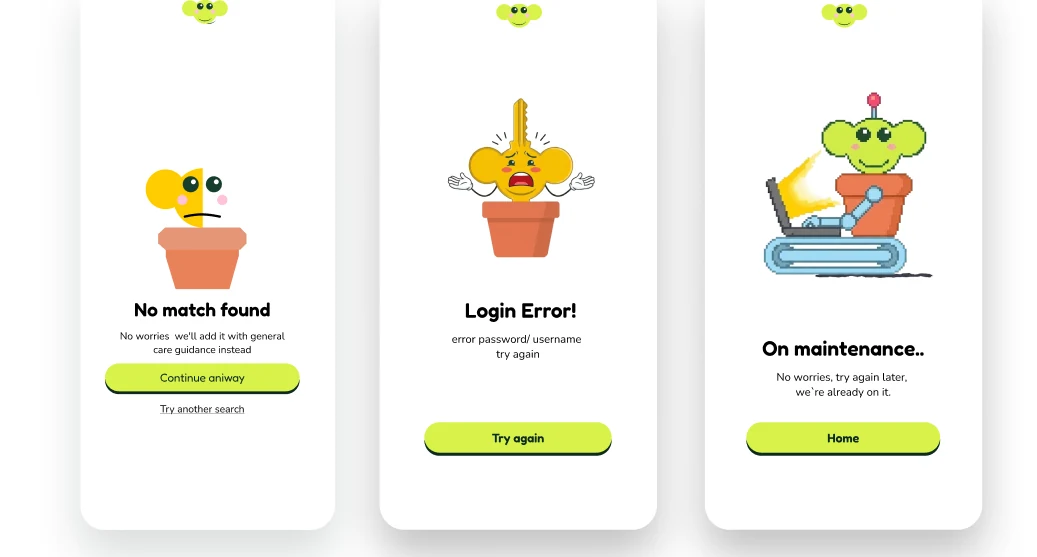
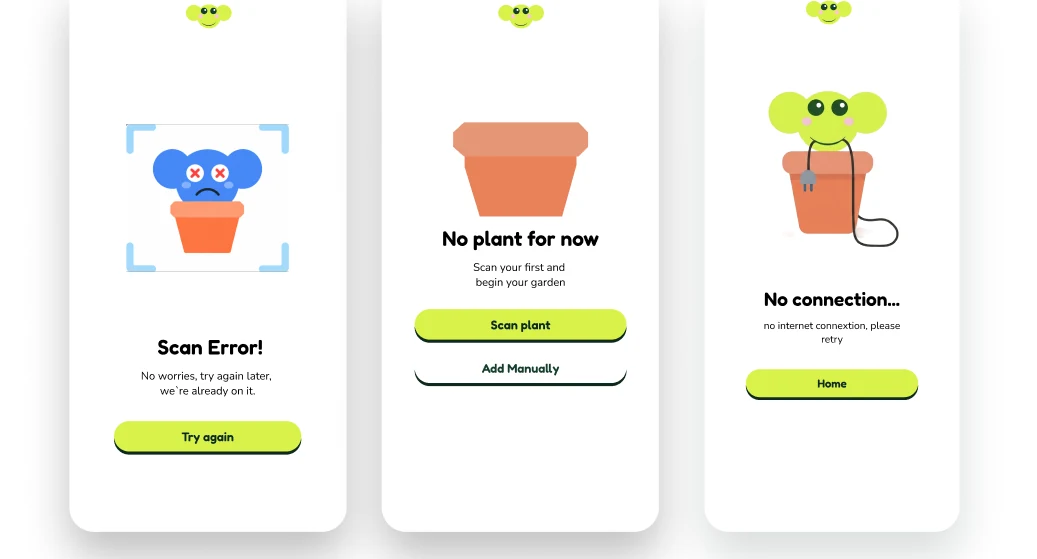
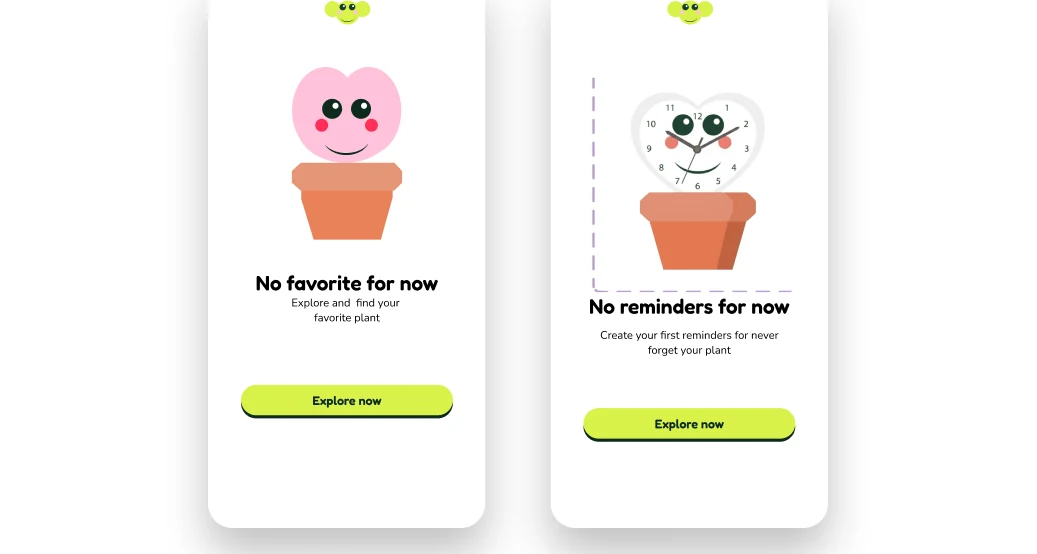
Empty & Error States

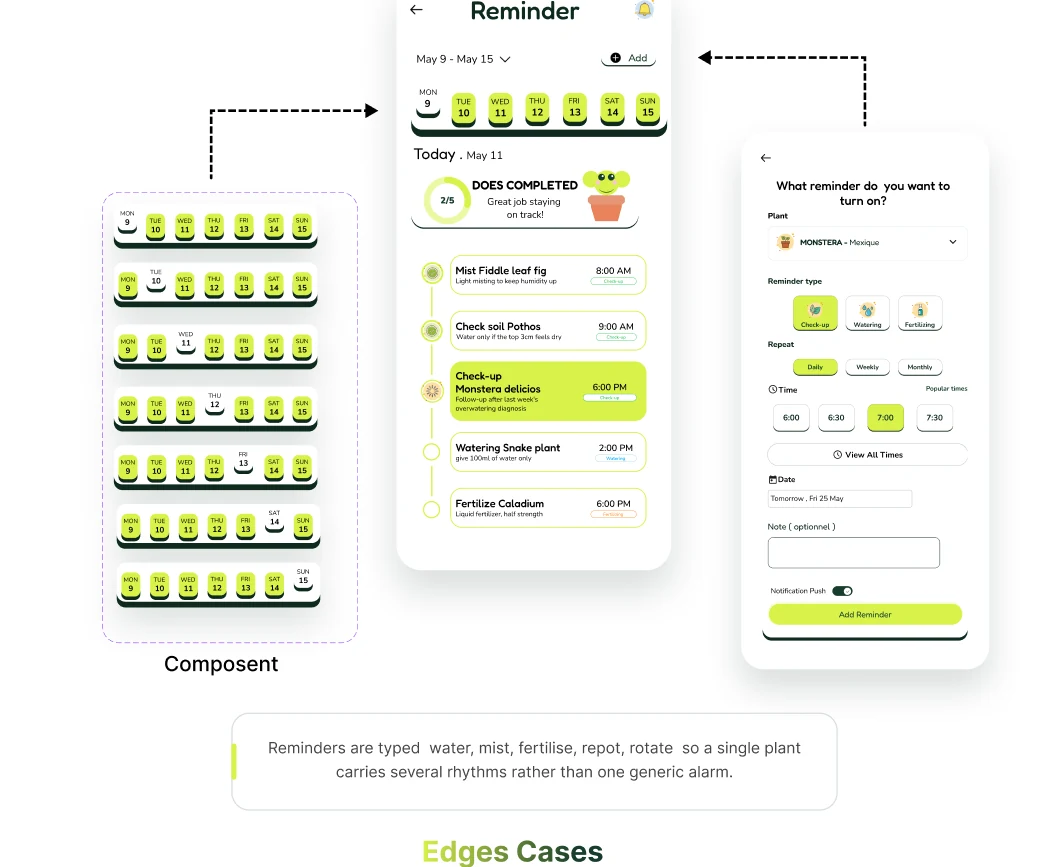
Reminder screen components and edge cases
No match found, login error and maintenance states
Scan error, no plant for now and no connection states
No favourite and no reminders states

Thanks for exploring PlantaCare

Follow me so you don’t miss what comes next

Yoahn Abellan

UX · Product Designer

abellan.yoahn@yahoo.fr

Available for product design roles,

PlantaCare · Self-initiated · 2026